Using Jordyn through your agency or organization
Your Jordyn account was set up for you by an agency, possibly grouped with colleagues into an organization. It is a complete, private Jordyn account — the same one anybody else gets. The only differences are that your agency pays for it, and that they can switch it off. Nobody at the agency can read your email, your files or anything you and Jordyn discuss.
This page covers the parts that are specific to being set up by somebody else. For what Jordyn actually does, read What Jordyn can do.
Your first twenty minutes
- Open the invite email from your agency and click the activation link. The link signs you in and sets your password — it is single-use, so if it has already been clicked, ask your agency to resend it.
- Connect your email. Settings → Business → Connections, then click your provider under "Email & Calendar" (marked Start here). Gmail, Outlook, Yahoo, AOL, Fastmail and any IMAP mailbox all work — see Connecting your email for each one.
- Say hello in chat. "What's in my inbox today?" is a good first ask, because it proves the connection worked and shows you the answer format at the same time.
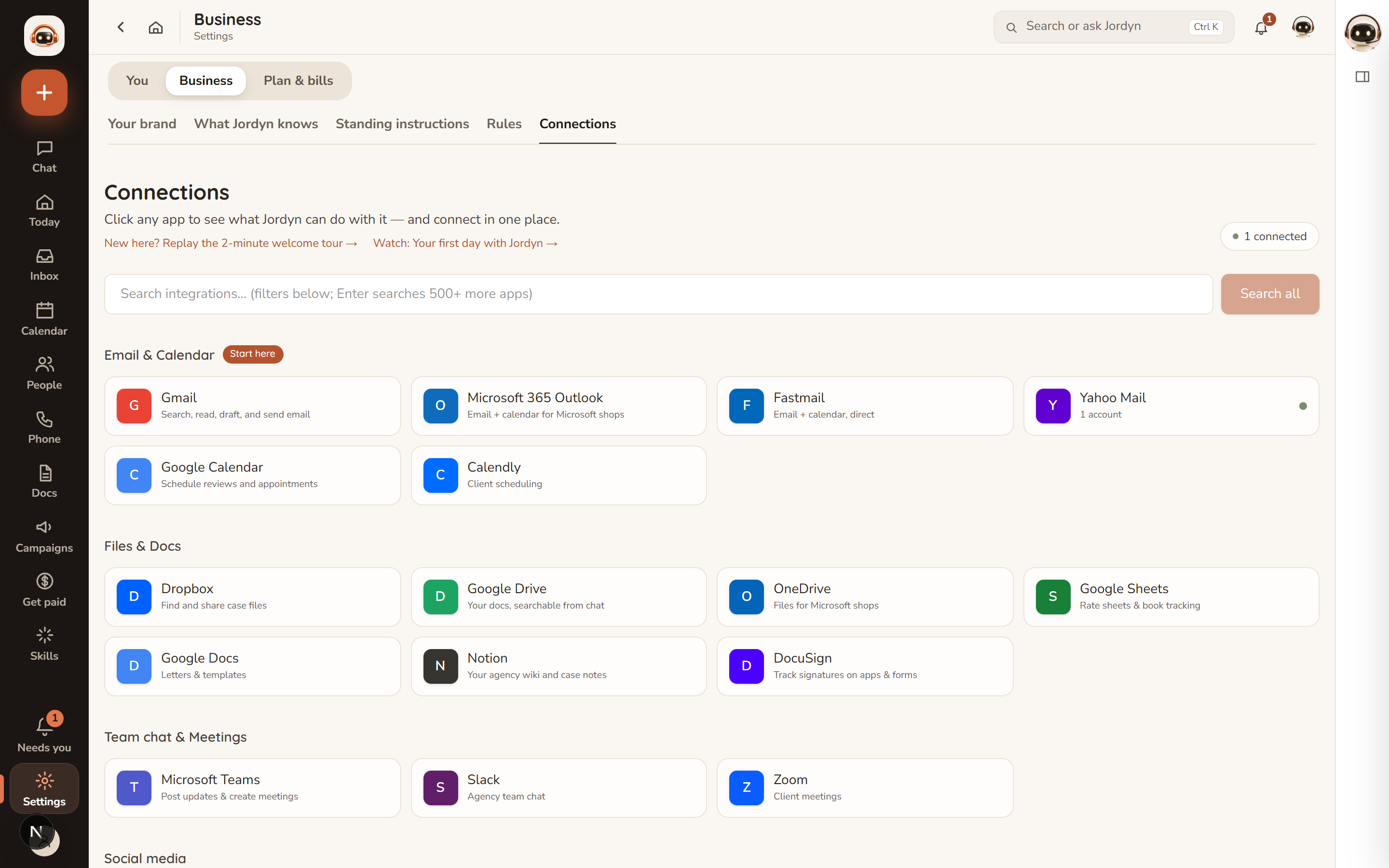
You do not have to finish setup in one sitting. Jordyn works with whatever is connected and says plainly what it cannot see yet.
What your agency can and cannot see
This is the question most people have, so here it is without hedging.
| They can see | They cannot see |
|---|---|
| Whether you have activated your account | Your email — inbox, sent, drafts, any of it |
| How many actions you have used this month | Your contacts, clients or cases |
| Your credit balance | Your files, documents or uploads |
| Whether your seat is active or paused | Your calls, texts or recordings |
| Anything you and Jordyn say to each other |
Your agency administers the subscription. They do not administer your work.
Your monthly allowance
Your account includes $60 of AI usage per month, which resets on the 1st. Most people do not come close; heavy document and presentation work is what uses it up.
When it runs out, Jordyn pauses chargeable work and suggests a credit pack rather than silently billing anyone. Credit packs are bought on your own card, on the Usage & Billing page (/usage), and they belong to you — they are not your agency's money and they do not disappear if you leave. Credits never expire, and they cover premium work such as presentations and generated images. Credits and premium features has the prices.
Add-ons work the same way. A phone line, for instance, is yours and billed to your card, not the agency's.
If your account stops working
| What you see | What happened | What to do |
|---|---|---|
| "Your agency admin has paused this account" | Your agency paused your seat | Contact your agency — only they can reactivate it |
| "Your agency's subscription has ended" | The agency subscription lapsed | Ask your agency admin to re-subscribe |
| A billing warning, but everything still works | The agency's card had a problem | Nothing — there is a grace period while they sort it out |
| Chat says you are out of actions | You used the monthly allowance | Buy a credit pack on /usage, or wait for the 1st |
A payment problem on the agency's side never locks you out on the spot. The grace period exists so a declined card does not cost you a working day.
If you leave the agency
Your account is tied to the agency's subscription, so it stops when they stop paying for it. Two things are worth knowing before that day:
- Credits you bought are yours. They were on your card.
- Your mail was never ours. Jordyn reads your mailbox through a connection you authorised; it lives at Gmail or Outlook or Fastmail, not here. Disconnecting Jordyn leaves every message exactly where it was.
Ask your agency what happens to the account itself — some move the seat, some close it.
Or just ask
- "What can you actually do?"
- "How much of my monthly allowance have I used?"
- "Connect my Gmail"
- "Who can see my emails?"