Chat basics
Chat is the command surface. Most of Jordyn is driven by asking in plain language, and anything you can do by clicking you can also do by asking.
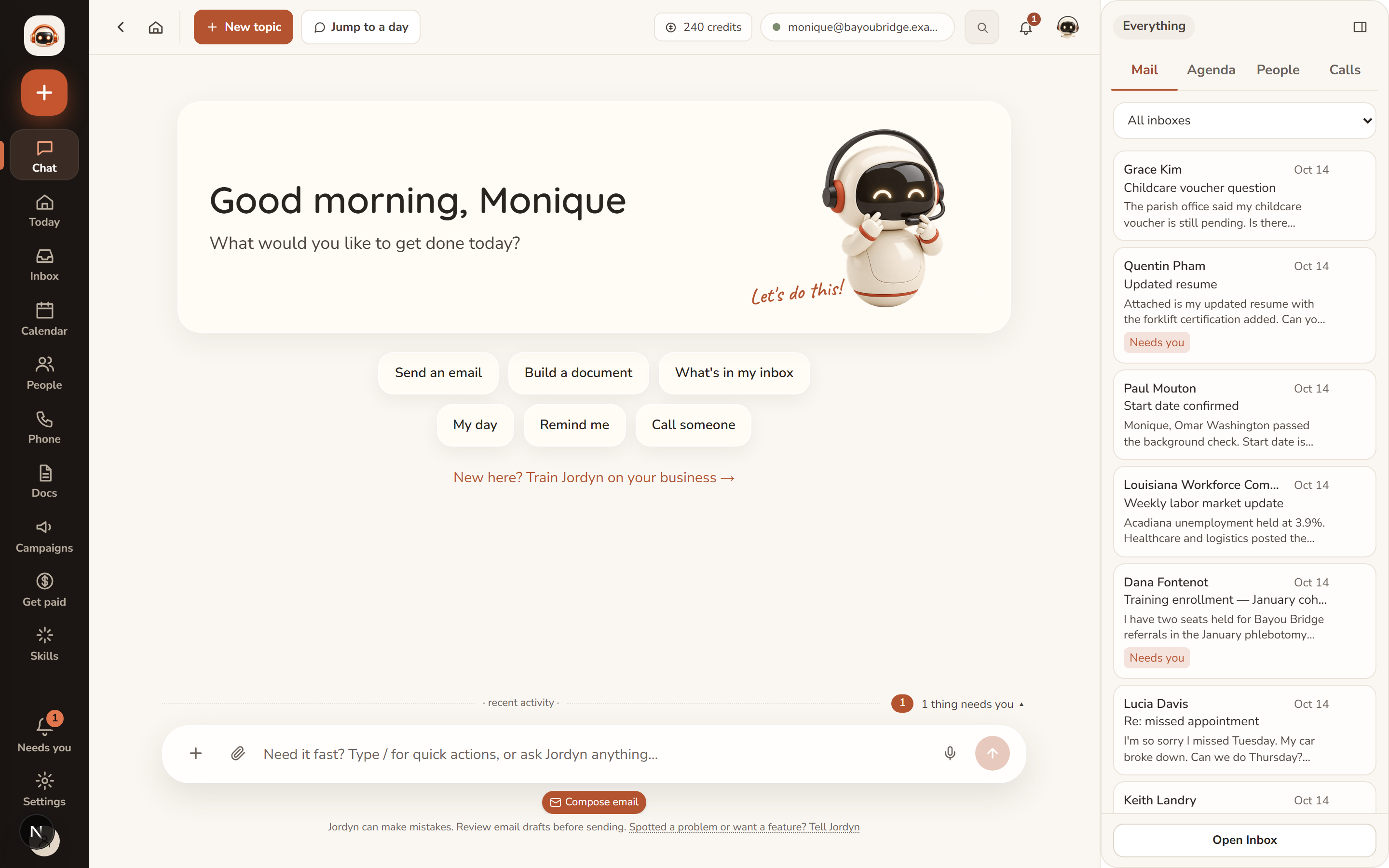
How a conversation works
Talk casually. "Make the binder with the pics for my lawyer" is enough — turning a rough ask into precise work is Jordyn's job. When a detail genuinely matters (which recipient, what amount), Jordyn asks one bundled question rather than interrogating you a field at a time.
Quick choices. When there are a few concrete options — which account to send from, which folder, yes or no — Jordyn offers buttons. A card that already has its own buttons never gets a second row; the card is the control.
Drafts before sends, always. Every outbound email appears as an editable card with To, Subject and Body, and a Send button. Nothing goes to another person until you press Send or plainly say "send it."
Results, not walls of text. Data comes back as interactive cards and collapsible lists, and every email Jordyn mentions is a link that opens the message.
Getting better answers
Small habits that make a real difference:
| Instead of | Try |
|---|---|
| "Email him back" | "Reply to Darnell and say Friday works" |
| "Find that document" | "Find the invoice with Hub City in it" |
| "Set up a meeting" | "Find me 45 minutes with Maria next week" |
| "Clean up my inbox" | "Archive everything from Indeed" |
Being specific about who and what saves a round trip. You do not need to be polite or formal, and you do not need to phrase things as commands.
Uploading files
Drag or paste anything into chat:
| Type | What Jordyn does |
|---|---|
| PDFs | Reads page by page, tables and scans included |
| Images | Screenshots, photos of documents, handwriting |
| Audio and video | Transcribes and watches; ask about what was said |
| Zips | Opens them, extracting images into your uploads |
| Spreadsheets | Offers to import contacts — never imports without your yes |
Uploads never expire and are indexed by content, so "find the screenshot where the error says timeout" works later.
Voice
Dictate with the microphone. Jordyn treats your dictated words as final copy — cleaned up for spelling and punctuation, never reworded or softened. If you dictate a blunt email, you get a blunt email.
Long jobs keep going
You do not have to babysit a long task. Leave the page mid-build and the work continues — a live "still working" indicator shows progress growing while you are away, and the finished result is waiting when you come back.
Sending more while Jordyn is working
Send more messages while a task runs and they queue safely: each runs in order, one at a time, after the current one finishes. Nothing is lost and nothing runs on top of anything else.
Stopping and correcting
- Stop cancels the current task — it truly stops the work, not just the typing.
- A draft you do not send simply never goes out. There is nothing to undo.
- Correct Jordyn once and it remembers. Preferences, signatures and corrections persist across conversations, so you should not have to say the same thing twice.
What Jordyn will not pretend
This is the part worth trusting, because it is what makes delegation safe:
- Promises are backed by tools. "I'll flag it when he replies" is only said when a real watcher was created. "Saved" is only said when the save succeeded.
- Failures are reported for you. If something breaks on Jordyn's side, the team gets it automatically with full logs. You never need to gather error details.
- Costs are named first. Chargeable work is quoted in credits before it runs.
When something seems broken
Just say so, in your own words — "my phone line is acting up", "you're giving stale answers about my website".
Jordyn runs a read-only diagnosis first, explains what it found in plain words, and applies a known safe repair only when the diagnosis calls for it. It does not go poking at your settings on a hunch.
Anything it cannot fix itself: say "report a problem". The team gets it with logs attached, and you are notified when your fix is live.
For connection trouble specifically, Settings → Business → Connections shows honest per-account status with "needs attention" markers.
When something's wrong
Jordyn asked me something it should already know. Tell it once — "my work address is the Lafayette office" — and it sticks. If it asks again later, say so; that is worth reporting.
It did the wrong thing. Say what you actually wanted. You do not need to start a new conversation, and corrections carry forward.
The answer looks out of date. Ask it to check again. Jordyn reads live data, but a long conversation can carry an earlier answer forward — "check the mailbox again" forces a fresh read.
It's been working a long time. Big jobs — deep scans, presentations, large documents — take minutes, and the progress indicator keeps counting. Press Stop if you have changed your mind; it stops.
I can't tell if it actually sent. Ask "did my email to [name] actually send?" Jordyn checks the mailbox itself rather than reading back what it said earlier.
Or just ask
- "What's in my inbox today?"
- "What did I miss this week?"
- "Draft a reply saying I'll have it by Friday"
- "Remind me Friday to call Bill"
- "Report a problem"