Documents
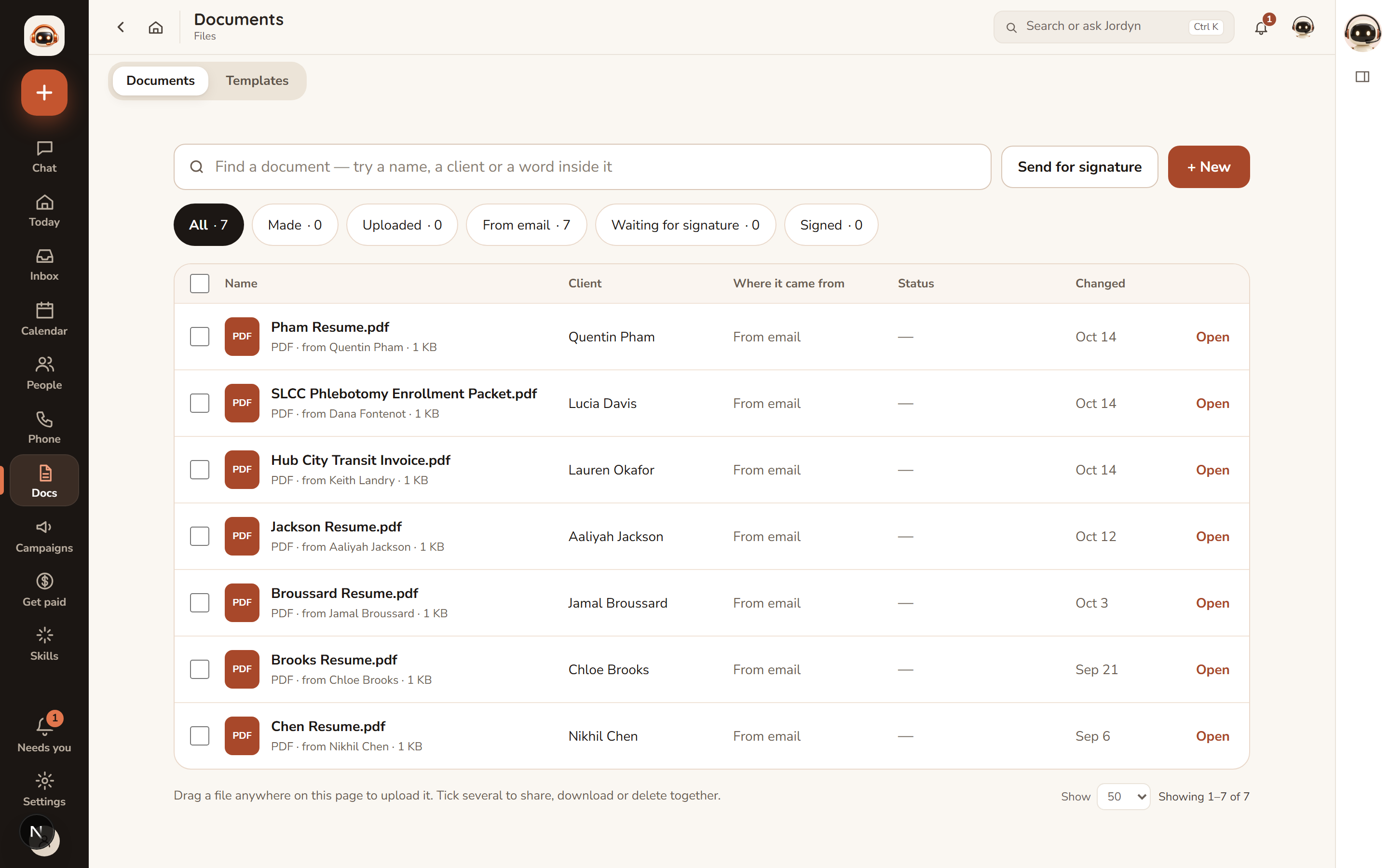
Two things live here: the documents Jordyn makes for you, and every other file you have — uploads, email attachments, files exchanged with a client. One list, one search.
Creating a document
Ask in plain language — "invoice Acme $500 for the site audit", "draft an engagement letter for Maria" — or press + New.
What Jordyn can produce:
| Kind | Good for |
|---|---|
| Letters, agreements, memos, reports | Anything on your letterhead |
| Invoices, quotes, receipts | Totals, tax and numbering computed by the system |
| Exhibit binders | Court-ready: caption page, exhibit list, one per page, optional Bates stamping |
| Zip bundles | "Package everything for my attorney" |
And the formats:
| Format | When you want it |
|---|---|
| Final and polished, ready to send | |
| Word (.docx) | You intend to edit it yourself |
| Google Doc | A live document in your Drive (needs Google Docs connected) |
Totals are computed, never guessed. Invoice and quote arithmetic, tax and document numbers come from the system, which is the whole reason to raise an invoice here rather than in a chat window.
Jordyn shows you the content before rendering, and every finished file comes back as a download link. From there it can be emailed as an attachment or saved to Dropbox or Google Drive — you pick the folder.
Finding things
Search the box at the top by name, by client, or by a word inside the document — the text of your files is indexed, so "the letter where we agreed the March date" is a reasonable search.
The filter pills narrow by where a file came from and where it stands:
| Pill | Shows |
|---|---|
| All | Everything |
| Made | Documents Jordyn created |
| Uploaded | Files you put in |
| From email | Attachments that arrived in your mail |
| Waiting for signature | Sent out, not signed yet |
| Signed | Completed |
Per document: preview, download, email it, save to cloud storage, or delete (two clicks, no popup). Tick several to share, download or delete together. You can drag a file anywhere onto the page to upload it.
Letterhead and branding
The Letters & invoices page controls how every document looks: accent colour, logo, your photo, business name, tagline, address, phone, email, plus payment instructions and default terms for invoices.
A live preview renders through the real engine, so what you see is what the PDF will be. Switch between Letter, Quote and Invoice to check each.
Set this up once, before you send the first invoice. Every document made afterwards picks it up automatically.
Templates
The Templates tab is a library of document shapes you reuse. Save any document as a template, and Jordyn fills the changing parts next time.
Sending for signature
Send for signature on any document turns it into a signing request. It then moves through the Waiting for signature and Signed filters, so chasing a signature is a filter, not a memory exercise.
Images in documents
Any image in your uploads can be placed in a document — tell Jordyn which one. Your logo is placed on PDF and Word letterheads automatically.
When something's wrong
The letterhead is blank or the logo is missing. Nothing has been set up yet, or the logo failed to upload. Open Letters & invoices and check the live preview — if it is wrong there, it will be wrong on the document.
An invoice total is not what I expected. Check the line items rather than the total; the arithmetic is computed, so a wrong total means a wrong input. Tell Jordyn what should change and it re-renders.
I can't find a document I know exists. Clear the filter pills — you may be on Made while looking for something that arrived by email. Search matches text inside files too, so try a phrase from the body.
The Word version looks different from the PDF. Word reflows text to the reader's fonts and page setup. Send the PDF when the layout matters.
A file won't preview. Preview covers common formats; unusual ones download instead. The file is intact either way.
I deleted something by accident. Deleting takes two clicks precisely because it is hard to undo. Ask in chat straight away — if it was a document Jordyn made, it can usually be remade from the same instruction.
Or just ask
- "Invoice Acme $500 for the site audit"
- "Draft an engagement letter for Maria"
- "Find the contract with the March date in it"
- "Send the Hub City invoice for signature"
- "Save this as a template"