The Calendar
The Calendar page merges every calendar you have into one view: Google, Outlook, Fastmail, and anything created inside Jordyn — including bookings from your booking page. Case deadlines and campaign touches show up alongside meetings, so the day you see is the whole day.
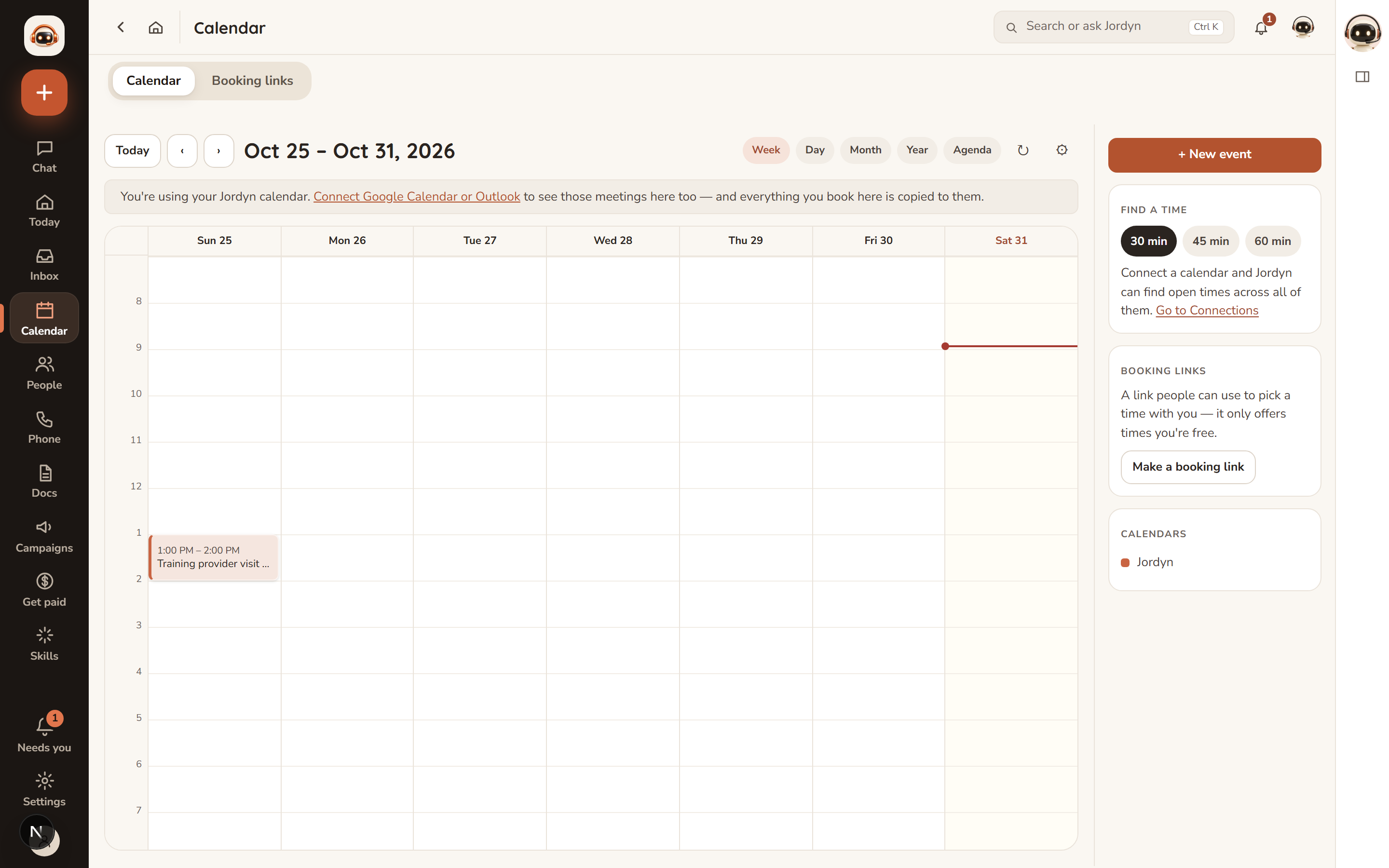
Views and settings
- Day, Week, Month, Year and Agenda views.
- Time zone from the dropdown. Default is US Central; it applies to everything shown. Set this before you start booking things — it is the setting people most often wish they had changed first.
- Working hours slider trims the grid to the hours you care about, so a 9-to-5 day does not sit in the middle of a 24-hour column.
- Week can start Monday or Sunday.
Creating and editing events
- Click or drag in the grid to create; drag an existing Jordyn event to move it.
- In chat: "put lunch with Sam on Thursday at noon." Jordyn names the time zone when it confirms, every time.
- Attendee RSVP status — accepted, declined, tentative, pending — shows on the event.
- The conflict radar flags overlapping events.
- Shortcut: drag an email onto the calendar tab and Jordyn builds the event from it.
Inviting people is sending email
This is the one thing on this page worth reading twice. Adding an attendee makes your calendar provider email that person an invitation. It is a real message from your real address, and it cannot be unsent.
So Jordyn always confirms before creating an event with attendees. If you are blocking your own time — focus time, a reminder, a placeholder — leave attendees off and nothing is emailed to anybody.
Finding a time
Ask: "find me 45 minutes with Maria next week."
Jordyn checks all connected calendars, skips weekends, stays inside business hours, and offers up to five real open slots as buttons you can tap.
| Default | Value | Say this to change it |
|---|---|---|
| Length | 30 minutes | "an hour with Maria" |
| Window | next 7 days | "sometime in the next two weeks" |
| Hours | 9 AM – 5 PM | "early morning" / "after 6" |
| Days | weekdays | "including Saturday" |
What else lands here
Your calendar is not only meetings:
- Bookings from your booking page arrive as real events. See Setting up your booking page.
- Event registrations from a public event page.
- Case deadlines from your pipeline.
- Campaign touches, so you can see what is going out and when.
When something's wrong
An event I made elsewhere isn't showing. Check the account is still connected (Settings → Business → Connections — a yellow dot means it needs reconnecting). A calendar that stopped syncing shows stale, not empty, so a missing recent event usually means the connection expired.
The times look wrong by a few hours. That is the time-zone dropdown, not a bug in the event. Set it to your own zone; everything redraws. If it is wrong by exactly one hour for a few days, it is a daylight-saving changeover and resolves itself.
Jordyn put it on the wrong calendar. Tell it which one you want by default — "put my meetings on my work Google calendar" — and it remembers.
Someone got an invite I didn't mean to send. Adding an attendee emails them. Delete the event and your provider sends a cancellation; there is no way to recall the first message.
I can't drag an event. Only events created in Jordyn can be dragged. Events owned by Google or Outlook open in their own app to edit.
Or just ask
- "What's on tomorrow?"
- "Find me an hour with Maria next week"
- "Move my 2pm to Thursday"
- "Block Friday afternoon for case notes"
- "Am I double-booked anywhere this week?"